
Commitments
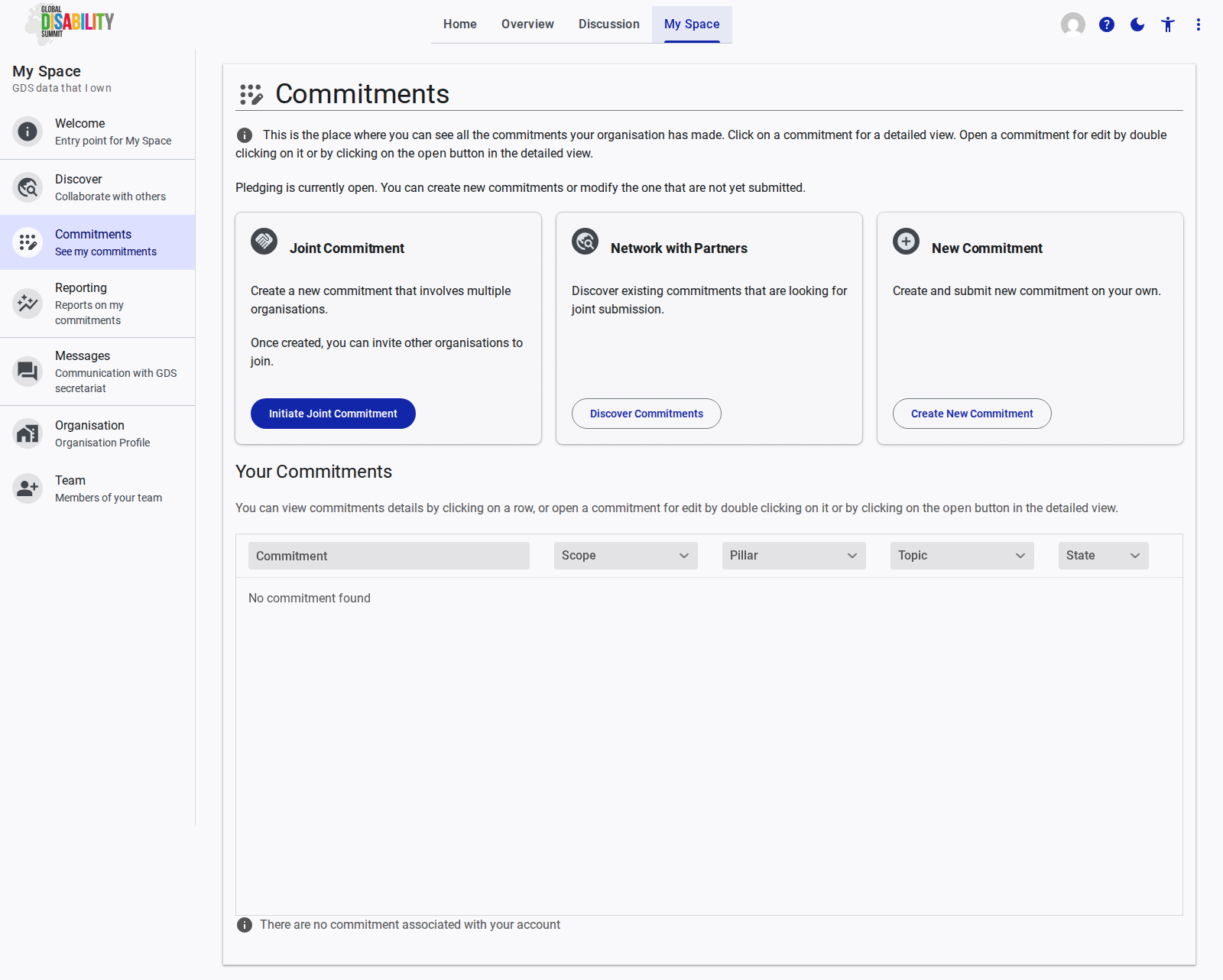
The Commitments page is the central hub for managing your organization's pledges. It provides an overview of all commitments your organization has made and offers options to create new ones.
Overview
The main interface provides a summary of your commitments and several actions you can take, particularly when a pledging period is open.
Creating Commitments
At the top of the page, three primary actions are available for creating or joining commitments:
- Joint Commitment: Allows you to create a new commitment that involves multiple organizations. Once initiated, you can invite other organizations to join your pledge.
- Network with Partners: Takes you to the Discover page where you can find existing commitments that are open for joint submission.
- New Commitment: Allows you to create and submit a new, individual commitment on your own.
Your Commitments List
The "Your Commitments" table lists all pledges associated with your account.
- Columns: The table displays key details such as the Commitment title, Scope, Pillar, Topic, and its current State (e.g., Draft, Submitted).
- Interactions:
- Clicking on a row opens a detailed view of the commitment.
- Double-clicking a row, or clicking the "open" button in the detailed view, opens the commitment for editing.
If your organization has not yet created any commitments, the table will display an empty state message: "There are no commitment associated with your account".